In the backups section of the backup portal:
- Select Add Location
- Select a Network folder and enter the network path
creates a restore point before updates, ensuring safe rollbacks if needed.
Extended endpoint protection with visibility & response across vulnerable attacks surfaces.
24/7/365, continous monitoring with expredited investigation from security analysts
Stay safe from ransomware with backups that can’t be locked or lost.
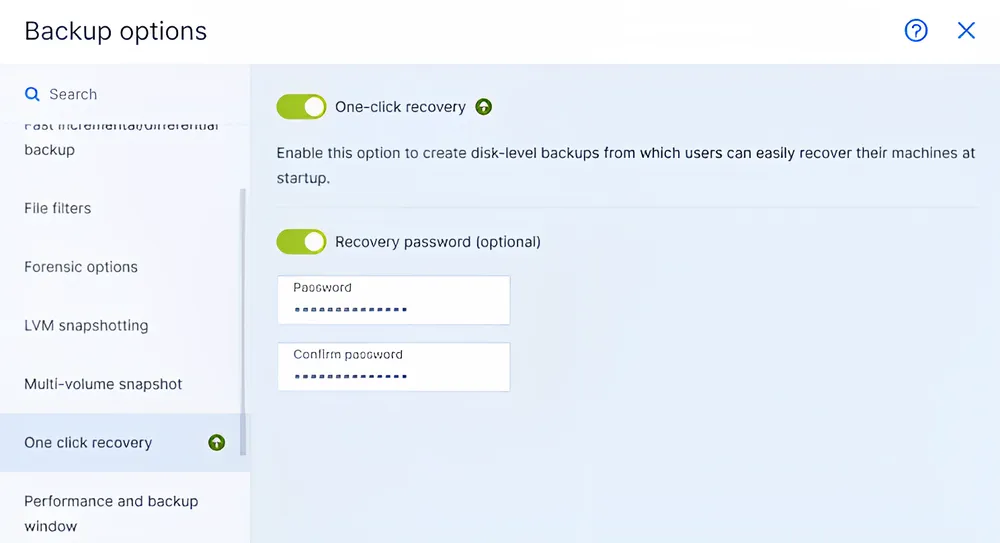
Enable quick and seamless recovery with minimal IT involvement by empowering end-users with one-click recovery. This feature allows non-technical users to restore entire workloads effortlessly, reducing downtime and pressure on IT teams.
By including one-click recovery in your protection plan, you streamline the recovery process across multiple workloads, ensuring business continuity with speed, simplicity, and confidence.
Get powerful, AI-based anti-malware protection absolutely free to keep your systems safe and secure.
Identify security gaps in your systems with our free vulnerability assessment for Windows, Mac, and Linux.
Strengthen your cybersecurity with our free security posture assessment, tailored to identify and address potential risks.
Access and support systems from anywhere with our Free Remote Desktop (RDP) service included.
Bare metal restores can be done by booting the target machine using bootable media, point to the backup repository for the image file.
In the backups section of the backup portal:
1. Resource usage is relative to the system specifications and a number of other factors, such as disk speed, disk size, available bandwidth, etc. By default, the Acronis backup process runs on low priority, with the operating system dynamically throttling its resources.
2. On modern servers and workstations, the CPU usage is typically around 3-4% and RAM consumption will be up to 500 MB with CPU spikes during the snapshot phase.
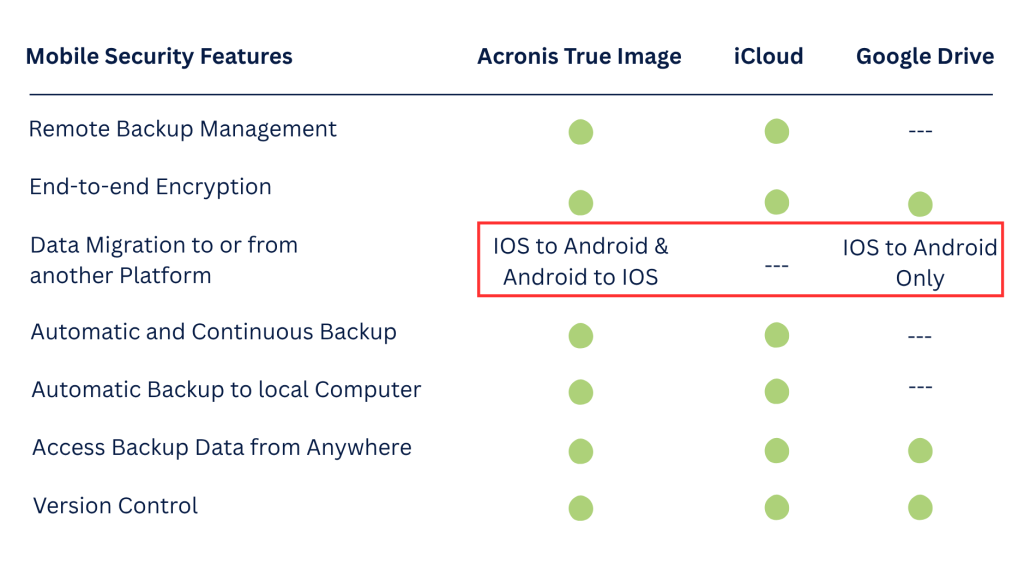
You can easily migrate data from IOS to android and android to IOS.